
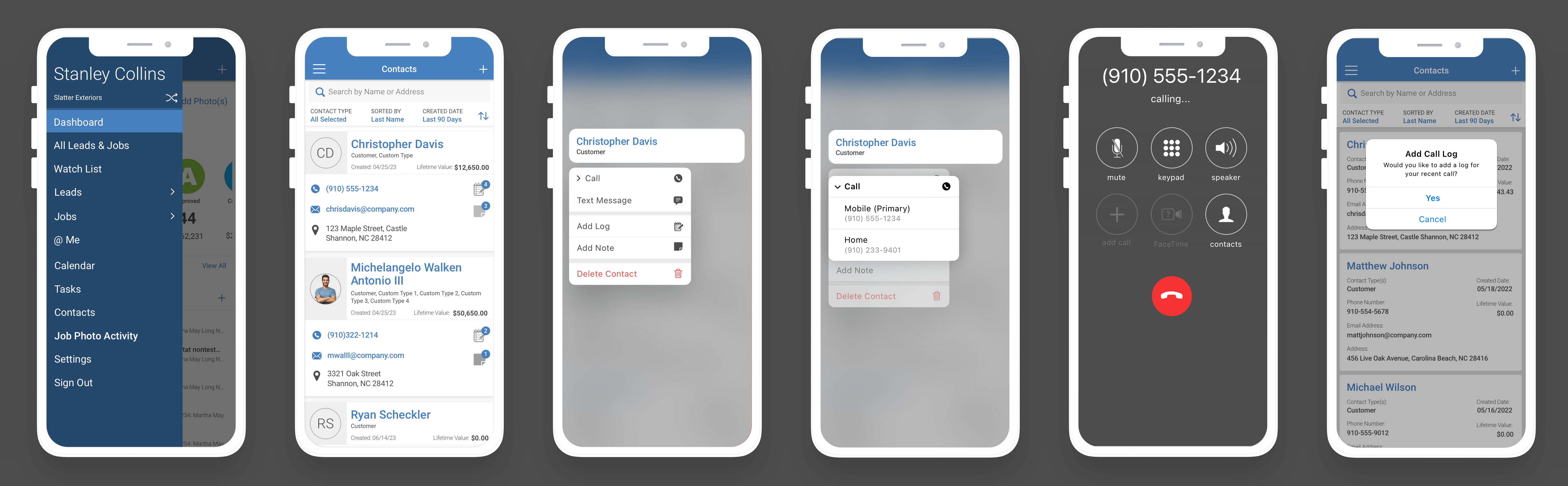
The Contacts area within the Field App -
The web application's CRM (Customer Relationship Manager) feature allows customers to manage all the data and communications with their former, current, and future customers, adjusters, vendors, and suppliers.
Why was the redesign needed?
RESEARCH - Learn About the Affected Users
We needed to learn about our affected user's frustrations. So we interviewed a group of users and created personas and journey maps that were used during the redesign process.
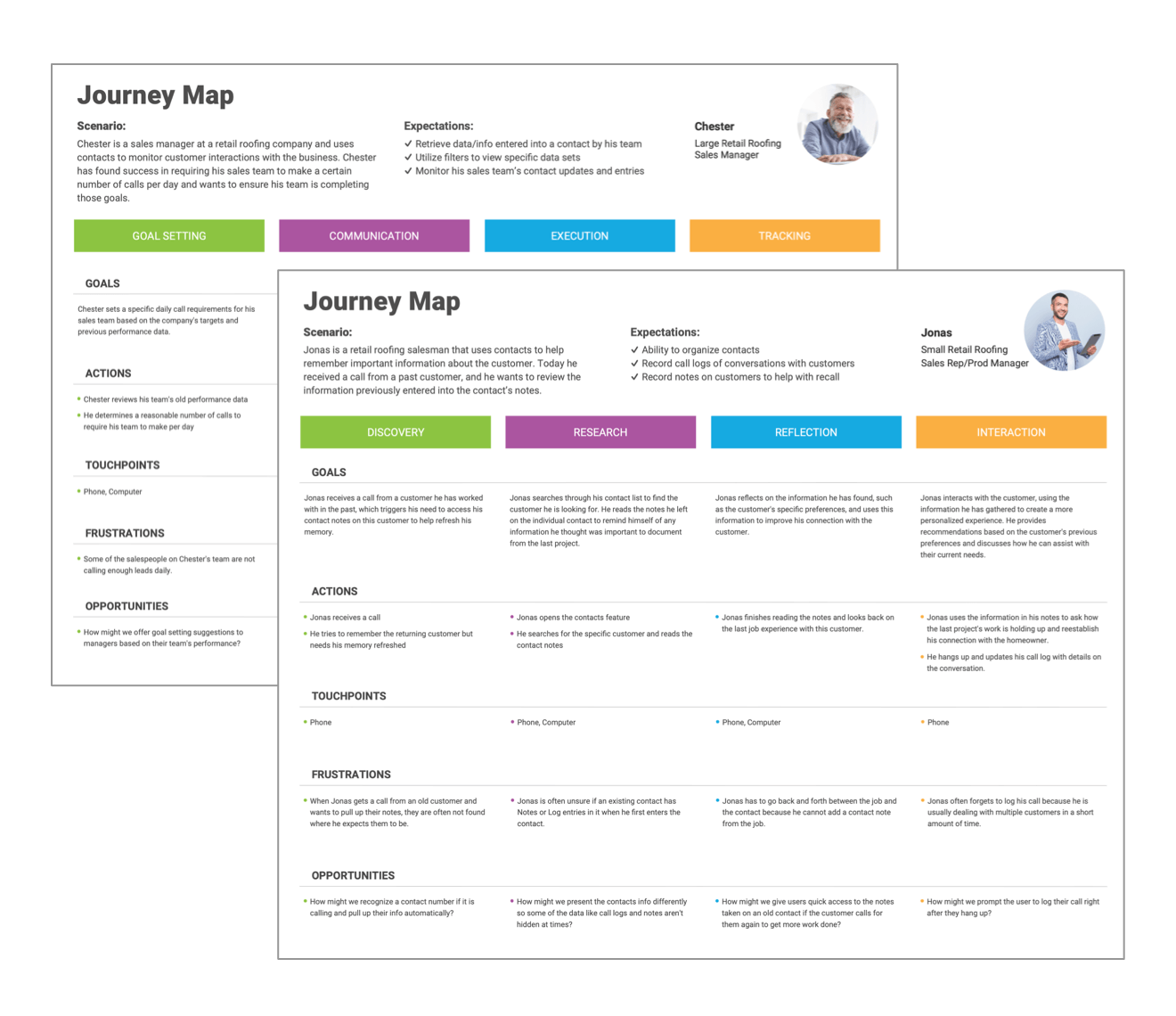
What We Learned?
- » Users were unaware of some of the features within contacts. The users were using the contacts differently than intended in the original designs because of how the information was displayed.
- » The UI lacked consistency which led to a cluttered design that was difficult to navigate.
- » When researching, we discovered two main requirements within the contacts area—viewing past interactions and adding new notes or calling logs when interacting with the contact.
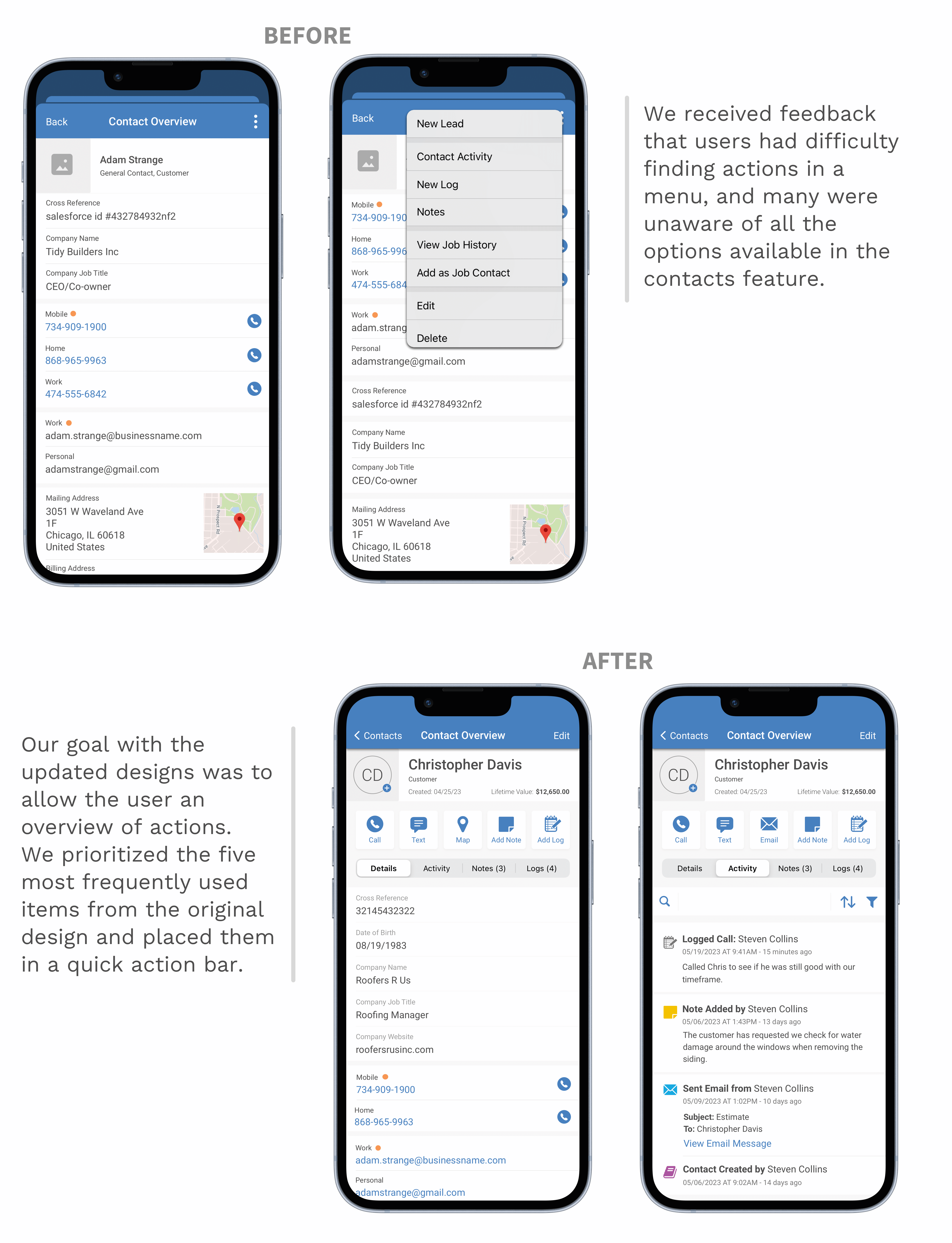
- » We also learned that many actions our users wanted to complete required going through many layers within the application.
- » We also learned that many of the useful actions within contacts required navigating several layers deep within the feature.
The Redesign
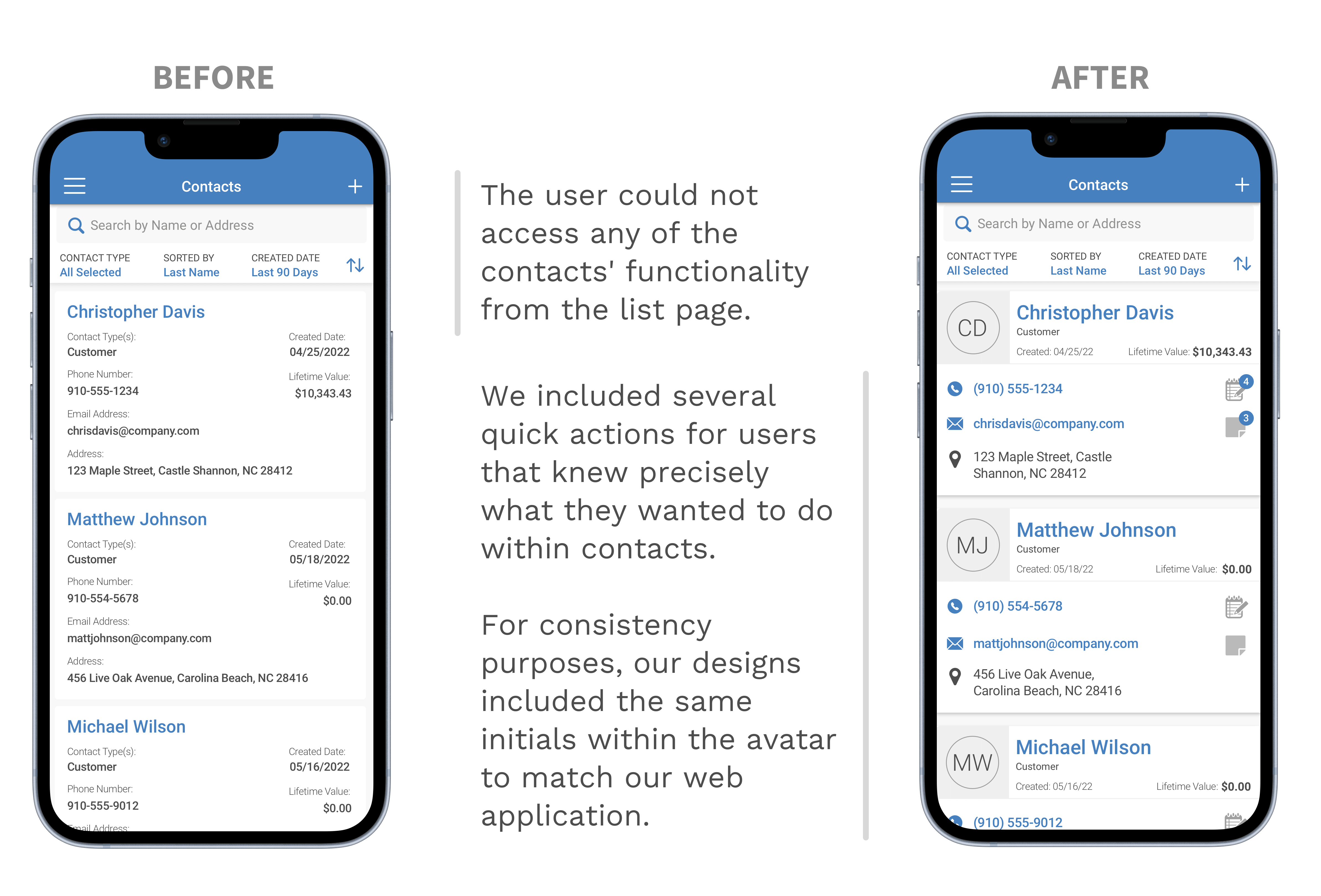
Below is a side-by-side comparison of the old contacts design and the newly redesigned version of the feature. A few of the fundamental changes that were made included a redesigned UI that relocated many of the useful actions that were hidden several layers deep within menus.
Now We Test.
We took the designs we created from our research and created a clickable prototype for testing our hypotheses.
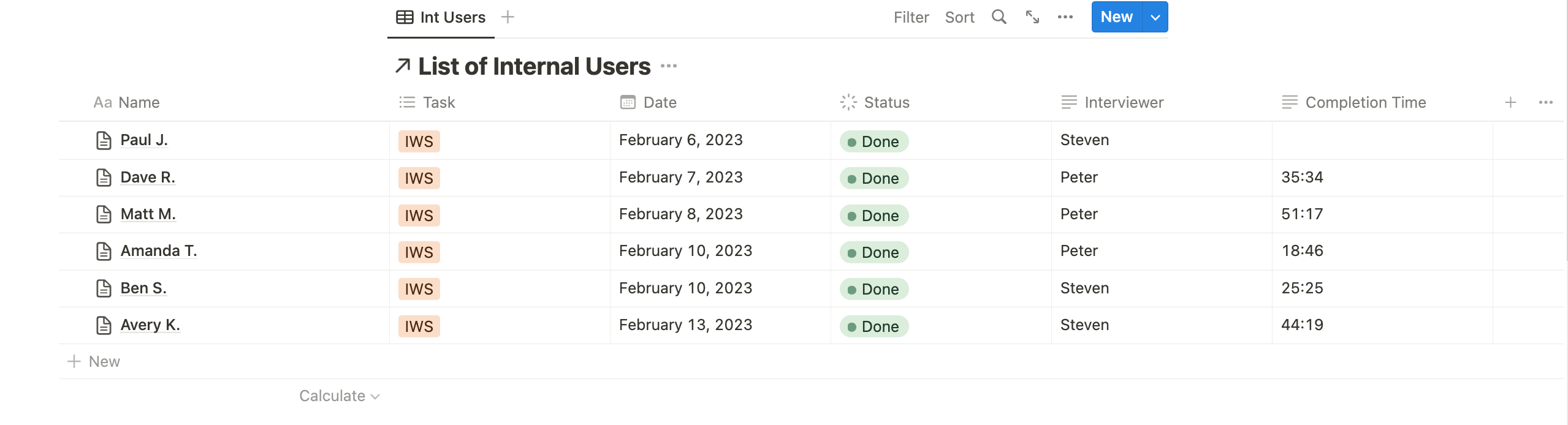
Testing Process
After creating a list of questions to ask our users, we observed and noted how our customers interacted with our new designs.
Our test included one interviewer and a few observers that sent questions to the interviewer to reduce confusion.
What's Next?
After our testing outcome and presentation to the company Stakeholders, we received the green light to start the developer handoff.
File Prep for Developers
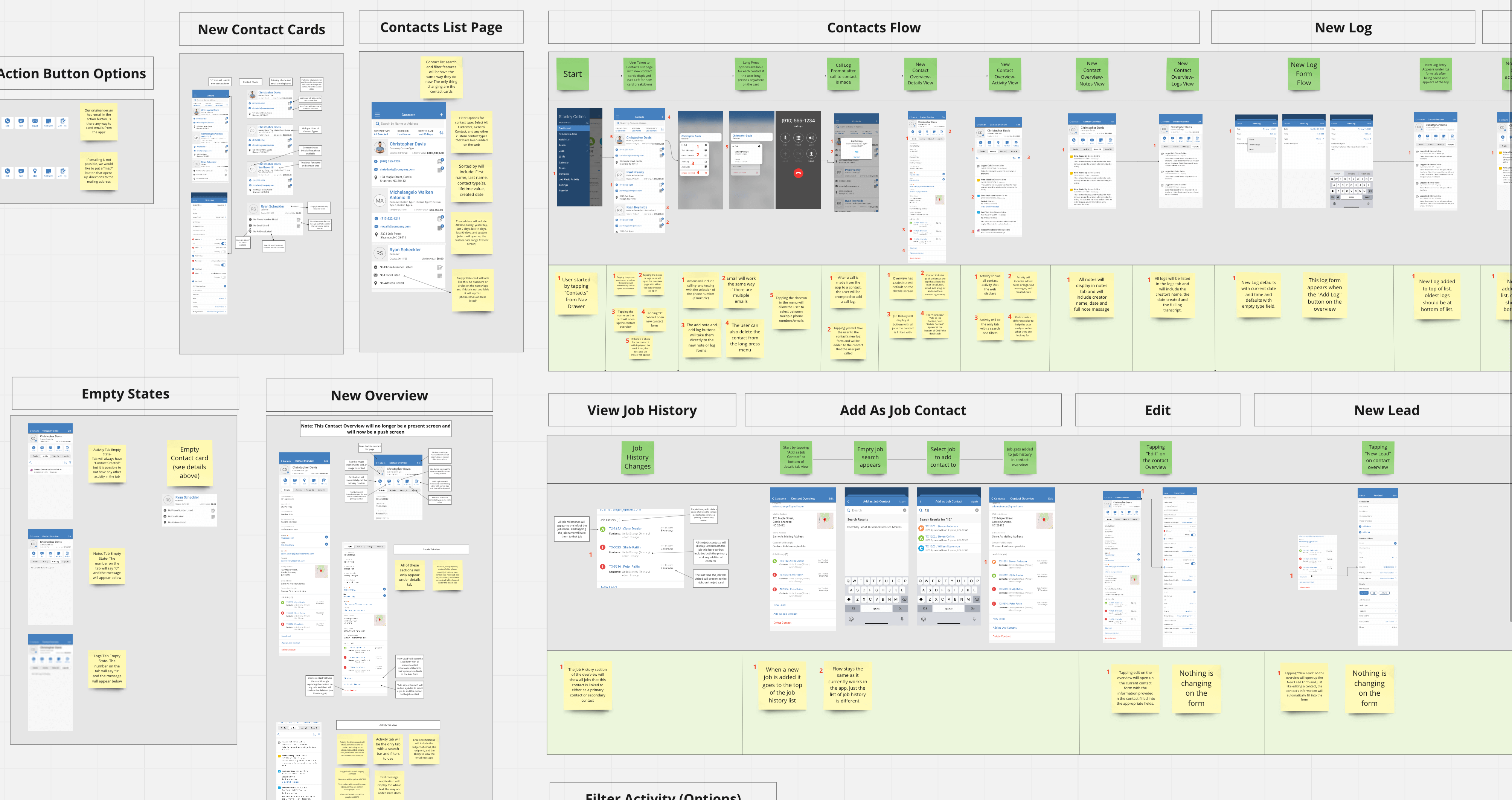
Miro Document
The Miro document is our primary file for the team that can answer any Developer or QA questions and act as a reference guide to help document why certain design decisions were made.
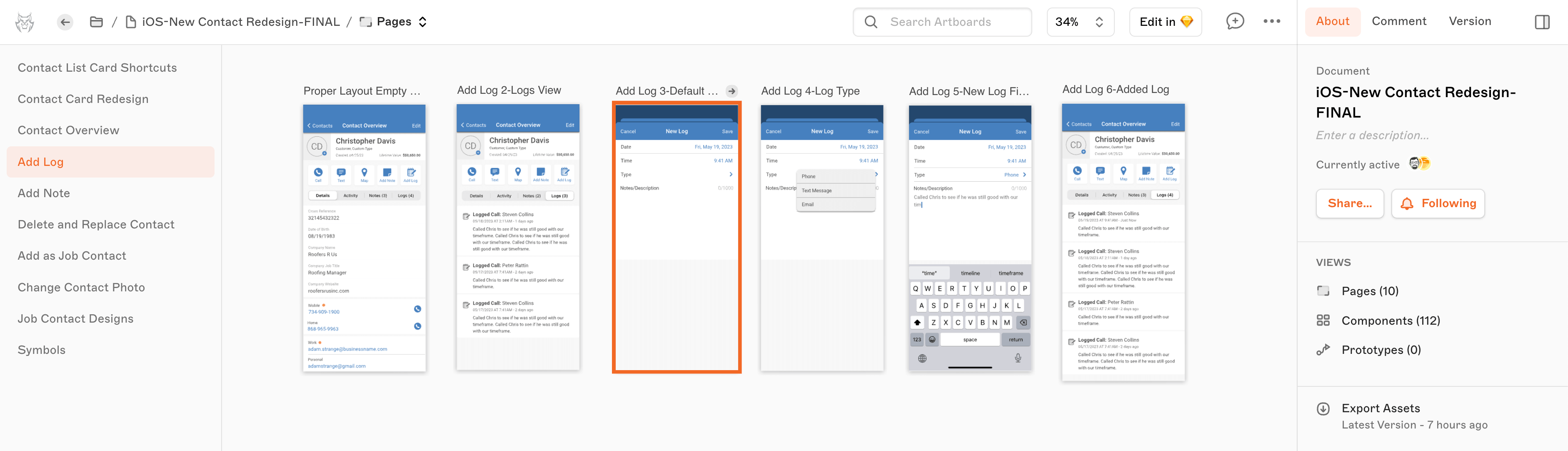
Final Sketch File
The Sketch file is our final design style guide for the feature during development.
Development is in the works.
But, once the application has rolled out with the updated designs. We use Heap Analytics to monitor how users interact with the updated design.
Role:
Applications Used: